Advanced Downloads

✓ Does not change or replace files
✓ Does not require IonCube Loader
✓ Clean and clear code
✓ Unlimited support
---------------------------
Demo
Admin area: oc3020.helpforsite.com/admin/
Login: demo
Password: demo
User area: Files&Links Tab
Compatibility
OpenCart version: 2.3.x, 3.x
---------------------------
Description
Advanced Downloads is a perfect module for selling digital goods in opencart or for providing buyers with additional product information (instructions, manuals, catalogs, etc.).
Opencart is inconvenient and not functional in work with downloads. Files are downloaded in one place, and files are attached to goods in another place. Excessive actions take precious time. And the customer only can download files from his personal account after purchasing od the good. So, this extension will improve the situation.
Features of the Advanced Downloads
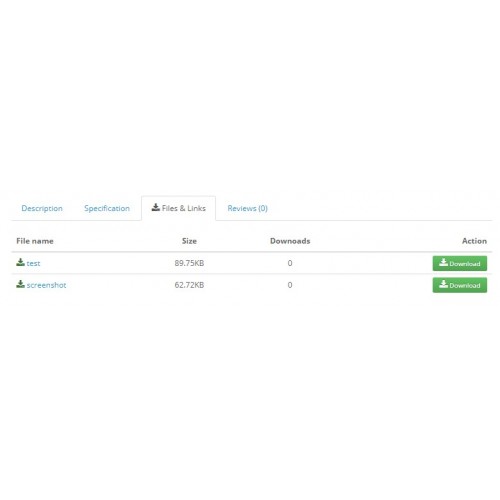
A separate tab on the product page

Display the downloads list anywhere on the page

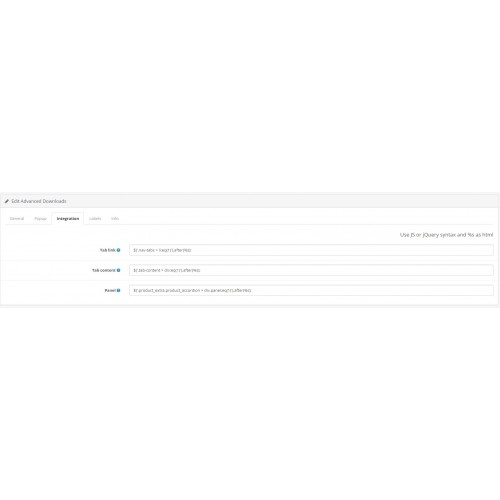
The download list is displayed using simple jQuery methods after the page is fully loaded Theese methods can be configured in the admin panel. Thanks to this, the list of downloads can be displayed anywhere on the page. Also thanks to this, the module is compatible with almost any OpenCart template, including Journal3.
Paid and free files

Pop-up window

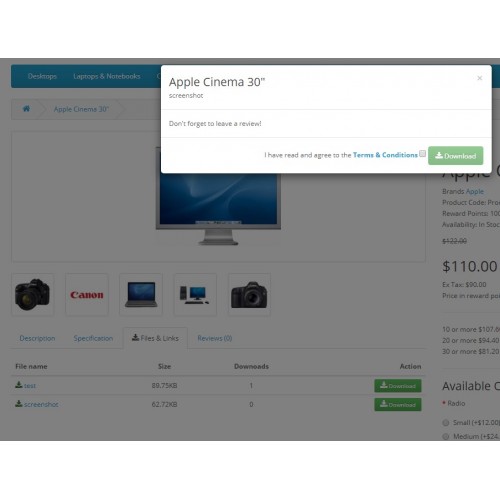
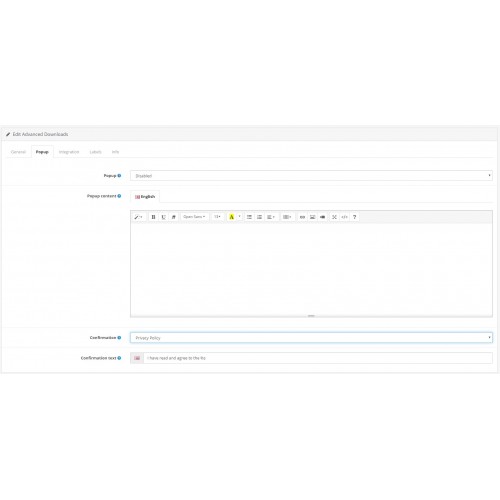
You can configure the output of gratitude or any other additional information in the modal window before downloading the file. You can also request an agreement with the Terms.
You can edit the contents of the modal window in the module settings using the usual opencart text editor.
Clean and clear code

Additional field in the downloads section

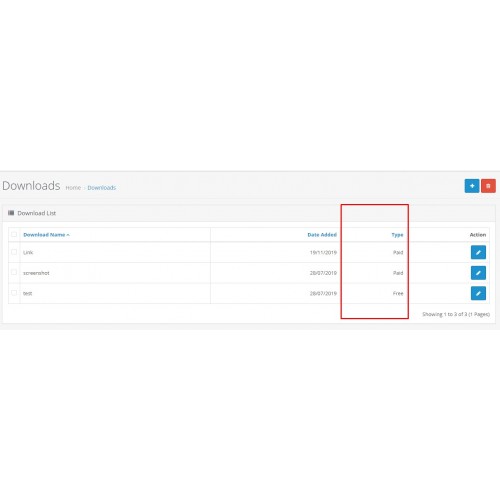
The 'Type' column has been added to the default download section, indicating a paid or free file. Also, the field has been added to the default download editor.
Downloads type data is stored in a separate database table.
Additional Tab in the product form

Attention! Внимание!
Russia is killing civilians in Ukraine. I do not provide any support services to russian and belorussian developers.
Россия убивает мирных граждан в Украине. Я не предоставляю поддержку проектам и разработчикам, которые имеют отношение к россии или беларуси.
Support Ukraine here
✓ Does not require IonCube Loader
✓ Clean and clear code
✓ Unlimited support
---------------------------
Demo
Admin area: oc3020.helpforsite.com/admin/
Login: demo
Password: demo
User area: Files&Links Tab
Compatibility
OpenCart version: 2.3.x, 3.x
---------------------------
Description
Advanced Downloads is a perfect module for selling digital goods in opencart or for providing buyers with additional product information (instructions, manuals, catalogs, etc.).
Opencart is inconvenient and not functional in work with downloads. Files are downloaded in one place, and files are attached to goods in another place. Excessive actions take precious time. And the customer only can download files from his personal account after purchasing od the good. So, this extension will improve the situation.
Features of the Advanced Downloads
A separate tab on the product page
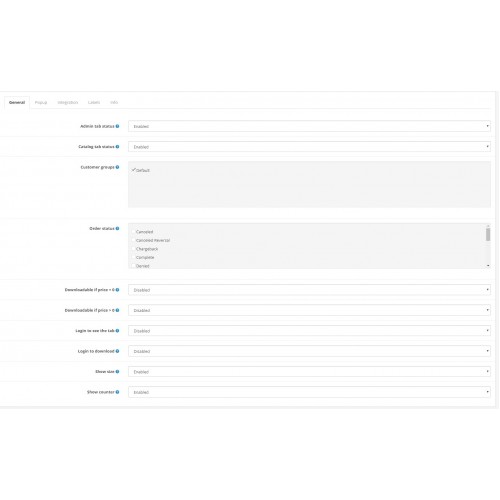
- Separate tab with a convenient adaptive list of attached downloads;
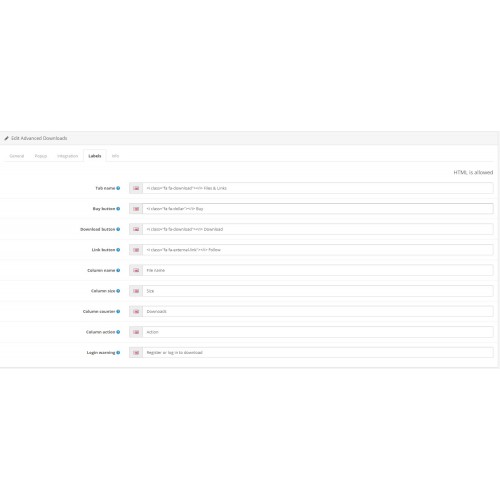
- Tab name and icon can be easily changed in the module settings;
- It is possible to show the tab to selected customer groups only;
- It is possible to specify the need for authorization to see the downloads list;
- It is possible to attach both usual files and links;
- It is possible to display file szie and a downloads counter.
Display the downloads list anywhere on the page
The download list is displayed using simple jQuery methods after the page is fully loaded Theese methods can be configured in the admin panel. Thanks to this, the list of downloads can be displayed anywhere on the page. Also thanks to this, the module is compatible with almost any OpenCart template, including Journal3.
Paid and free files
- A product can contain both paid and free files at the same time;
- Links can be paid too;
- Links are not displayed in the page code, so, a customer can't see them;
- It is possible to specify the need for authorization to download free files;
- Name and icon of buttons can be easily changed in the module settings;
- It is possible to allow downloads to be downloaded depending on order status;
Pop-up window
You can configure the output of gratitude or any other additional information in the modal window before downloading the file. You can also request an agreement with the Terms.
You can edit the contents of the modal window in the module settings using the usual opencart text editor.
Clean and clear code
- Usual extension structure;
- Usual twig/tpl view templates. You can edit them easily;
- Clean and clear OpenCart compliant code;
- The module does not require decoders like ionCube;
- The module does no replace any OpenCart files
Additional field in the downloads section
The 'Type' column has been added to the default download section, indicating a paid or free file. Also, the field has been added to the default download editor.
Downloads type data is stored in a separate database table.
Additional Tab in the product form
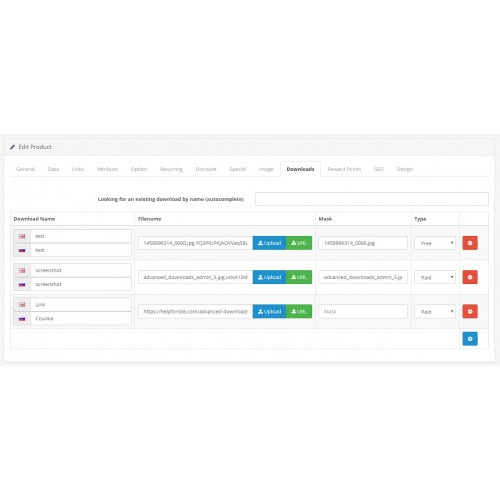
- Separate tab to manage product downloads;
- Yo can create a download uploading a local file or downloading remote one (by direct link);
- You can attch a link as download;
- You can attach an existed download using autocomplete;
- You can specifay is the download paid or free.
Attention! Внимание!
Russia is killing civilians in Ukraine. I do not provide any support services to russian and belorussian developers.
Россия убивает мирных граждан в Украине. Я не предоставляю поддержку проектам и разработчикам, которые имеют отношение к россии или беларуси.
Support Ukraine here
What customers say about Advanced Downloads

The best module ever ... have much functions .. It is the only one that does not affect other modules, clean code.. Work perfect with op 3.0.3.8 and journal theme 3
~maruntisuri
~maruntisuri
Price
$29.99
- Developed by OpenCart Community
- 12 Months Free Support
- Documentation Included
Rating
Compatibility
2.3.0.0, 2.3.0.1, 2.3.0.2, 3.0.1.0, 3.0.1.1, 3.0.1.2, 3.0.1.3, 3.0.2.0, 3.0.3.0, 3.0.3.1, 3.0.3.2, 3.0.3.3, 3.0.3.5, 3.0.3.6, 3.0.3.7, 3.0.3.8, 3.0.3.9, 3.0.4.0
Last Update
30 Sep 2024
Created
29 Jul 2019
75 Sales
20 Comments

Login and write down your comment.
Login my OpenCart Account